
Features guide
what each screen does.
Only features that exist in the code are listed. Pro marks what the paywall unlocks.
01Onboarding
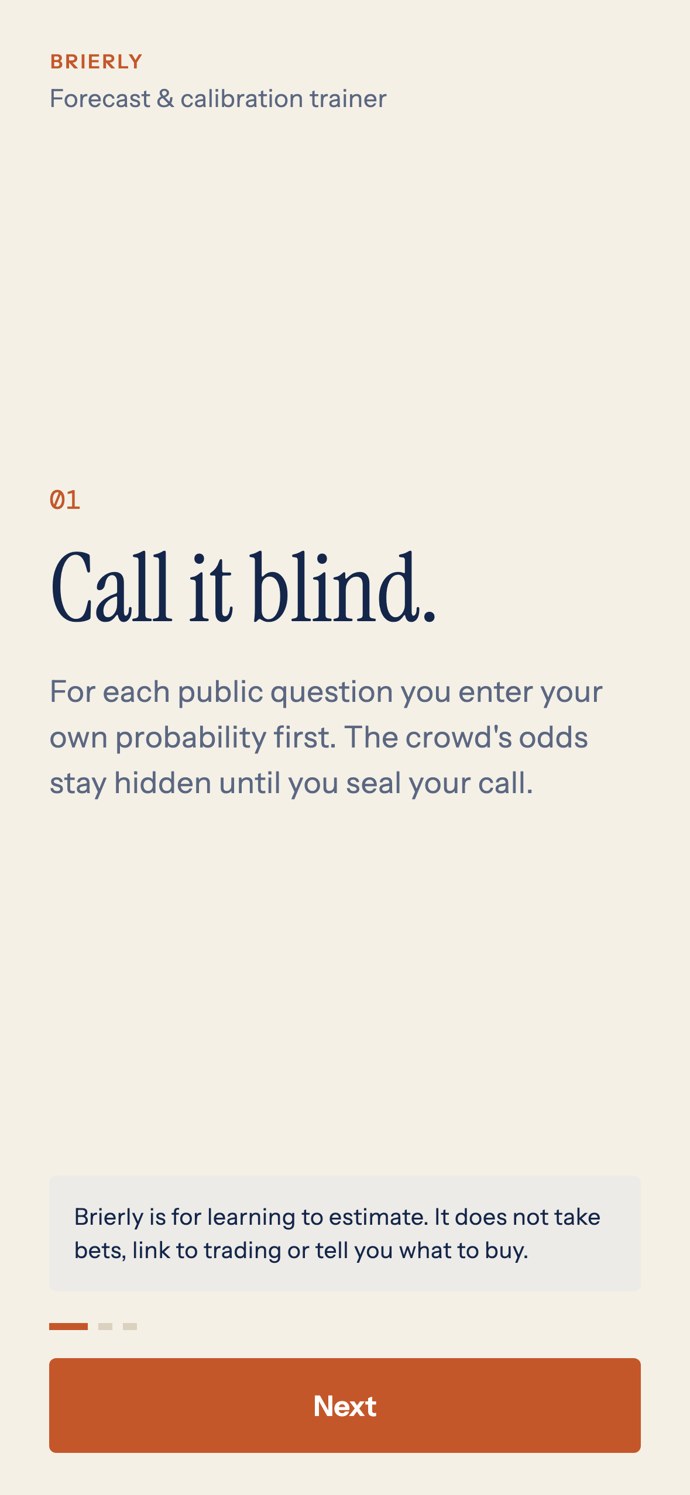
On first launch three short pages explain the idea: Call it blind (enter your own probability first, the crowd's odds stay hidden), Then see the crowd (sealing is final) and Score yourself (Brier score, calibration curve and comparison with the crowd, all computed on the phone). A notice on the page says Brierly is for learning to estimate and does not take bets, link to trading or tell anyone what to buy.
02Questions
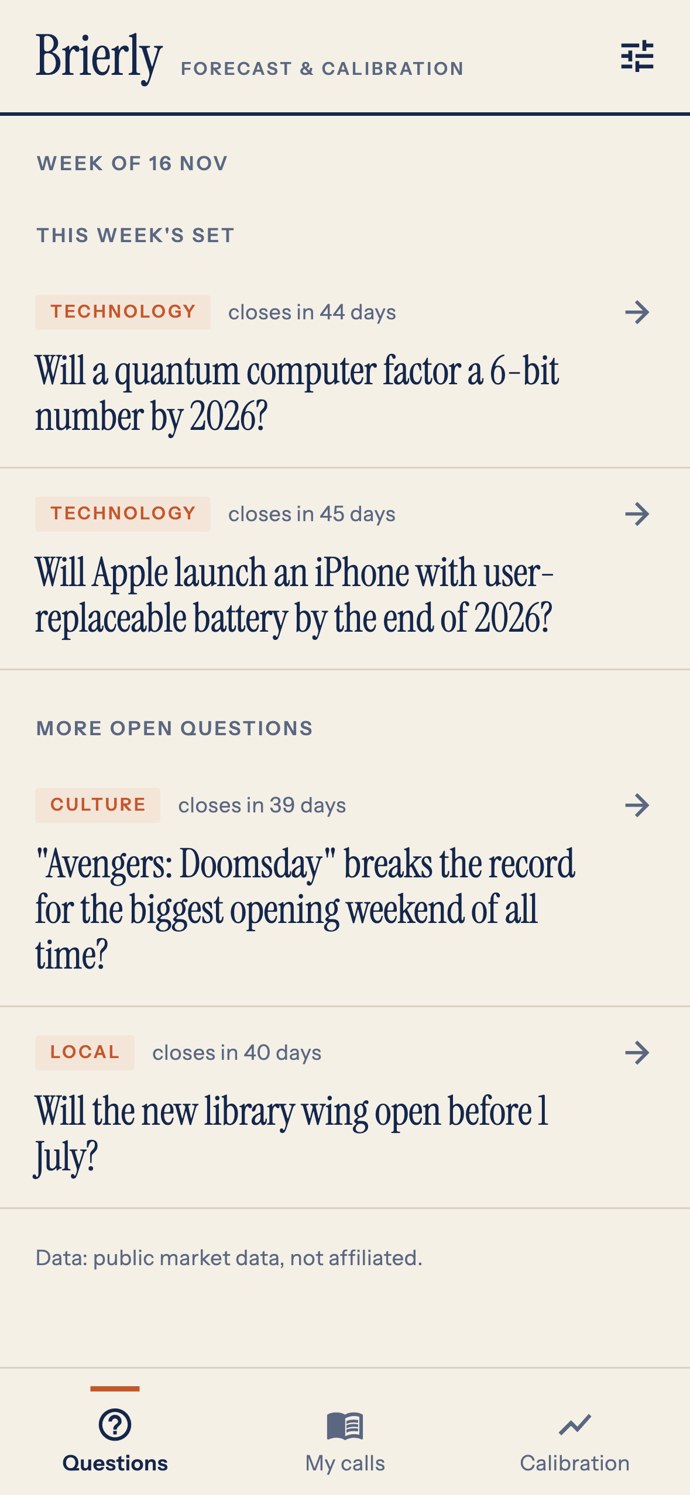
The home tab lists open questions from your server: This week's set first (the ones you featured), then the rest, soonest close first. Each row shows the title and when it closes. It never shows the crowd's odds. A banner shows your announcement, if any. Without a server, or with no open questions, an honest empty state is shown. Pull down to refresh.
03The Blind Call
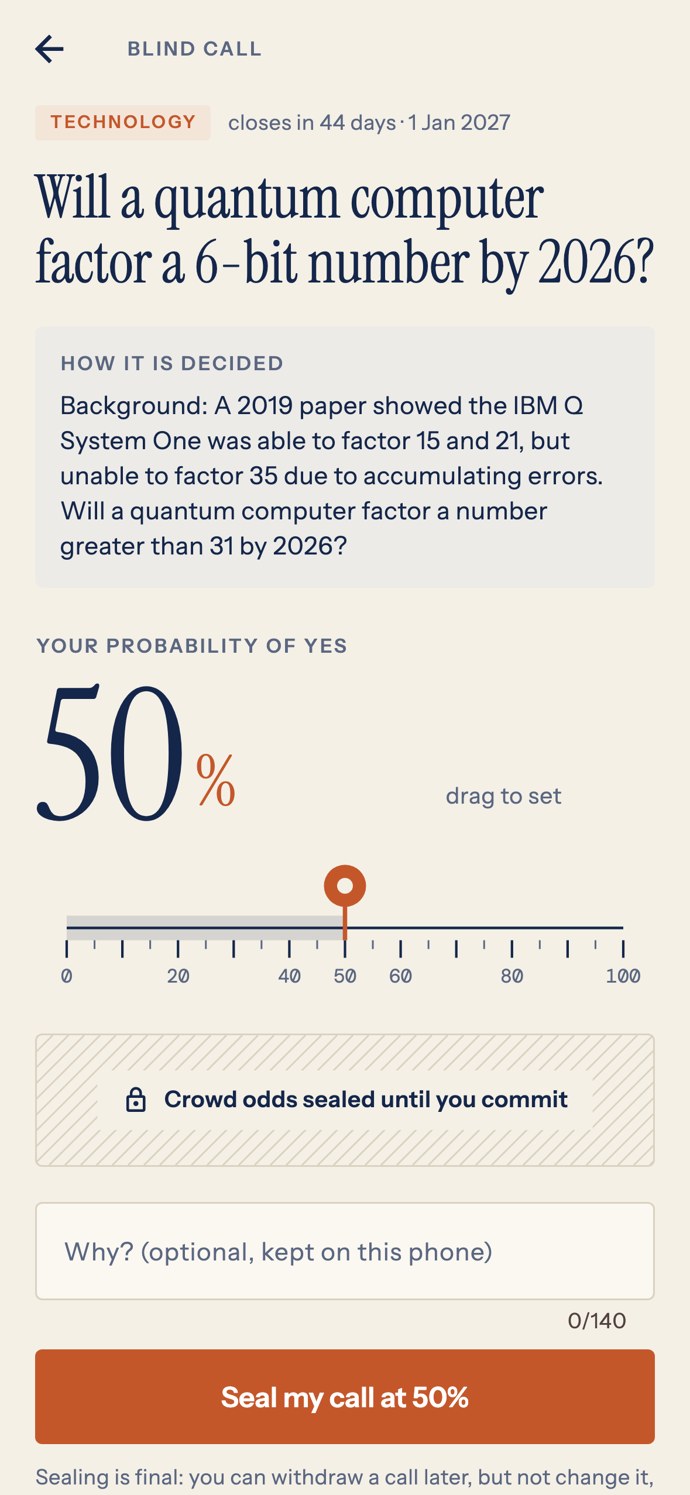
Open a question. The screen shows the criteria ("How it is decided") and the resolution source link. Drag or tap the ribbon to set your probability of Yes as a whole percent from 1 to 99, optionally add a reason (kept on the phone), and press Seal my call.
- The app saves your call first and asks the server for the crowd's odds second, so the odds can never change what you sealed.
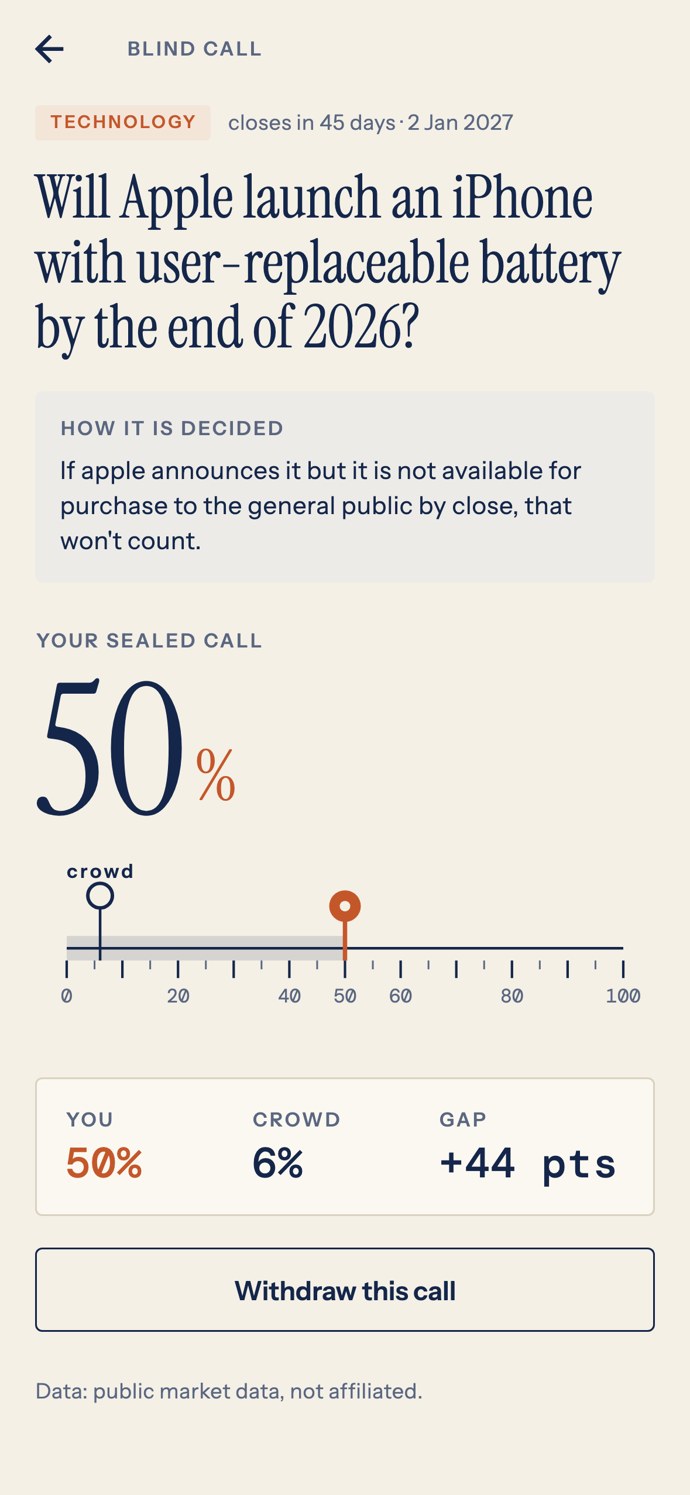
- A call cannot be edited. It can be withdrawn: it then stays in the history as withdrawn and never counts, but the same question cannot be called again, so nobody can peek at the odds and retry.
- After sealing, the screen shows You, Crowd and the Gap in points. If the server cannot be reached at that moment, the call is still sealed and the odds appear when they can be fetched; odds fetched more than 60 minutes after sealing are shown but do not count in the comparison.
- A custom question without reference odds has no crowd; the screen says so.
04My calls
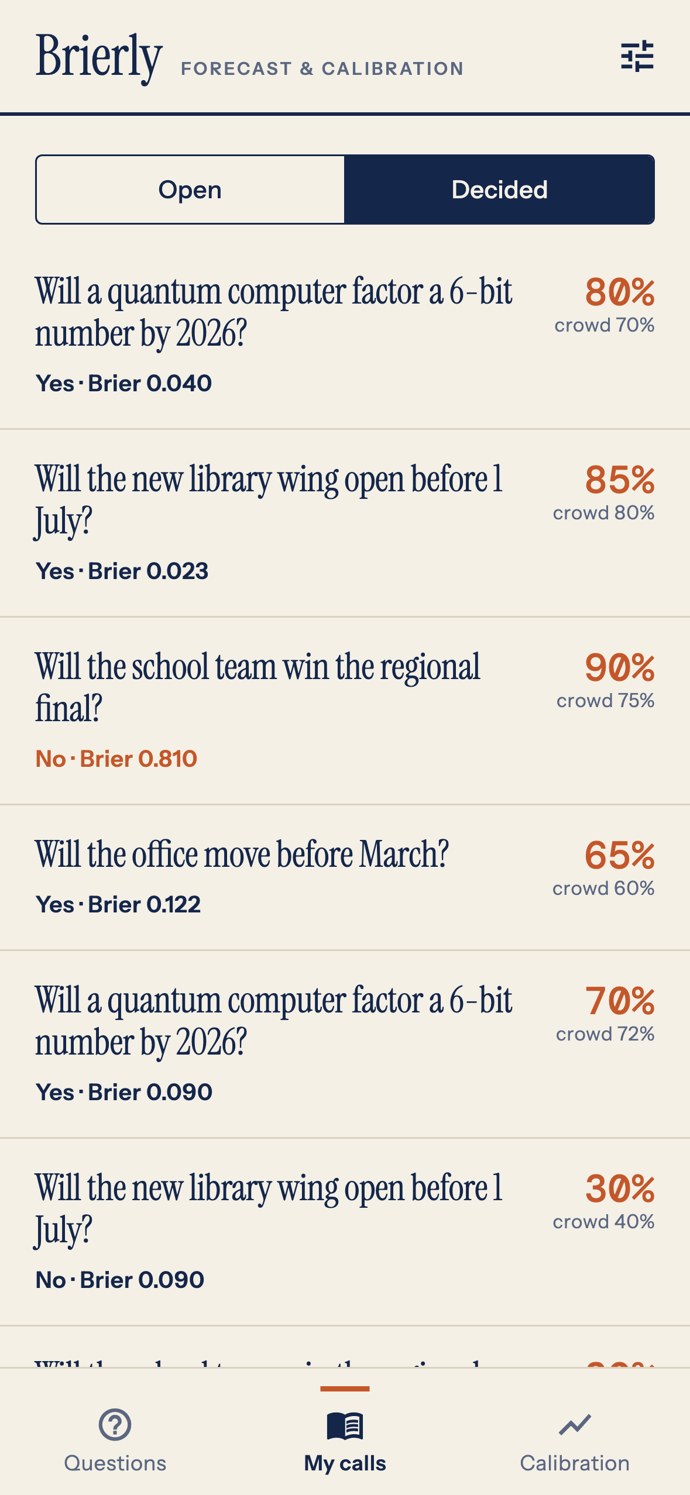
Two filters: Open (waiting for the question to be decided) and Decided (with the result and the Brier score of each call, the crowd's percent at sealing, and a "late call" label when sealed under 24 hours before the close). Void and withdrawn calls are labelled and never score. The app asks the server how its open questions ended when it starts and when you refresh. Without Pro, older decided calls outside the history limit are hidden (not deleted) and return with Pro.
05Calibration card
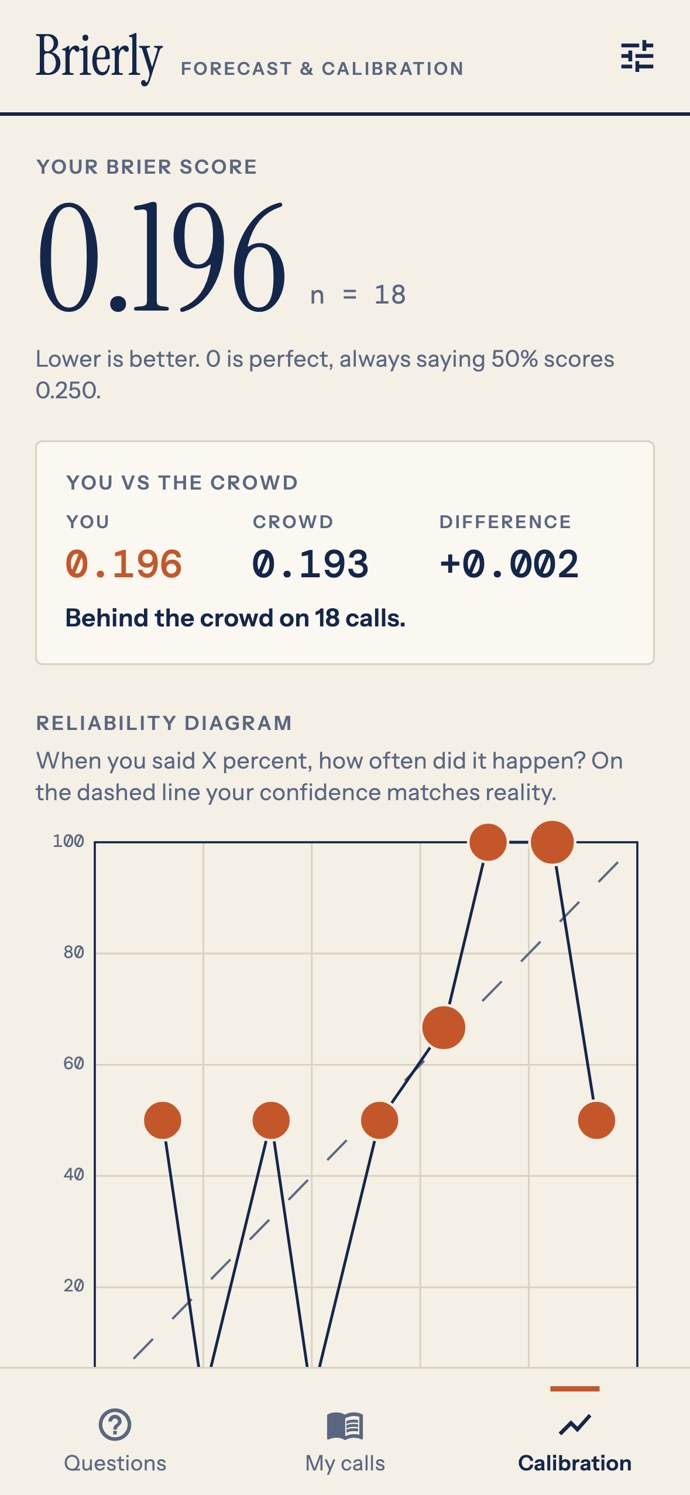
The third tab shows the Brier score with the number of decided calls, You vs the crowd, the reliability diagram, the note on late calls, By category (Pro) and an optional Leaderboard. Buttons: Share card (shares the card as an image) and Export CSV (Pro; shares one line per call with the crowd's odds at sealing and the result). How each number is made is explained on How scoring works.
06Anonymous leaderboard
Off by default on both sides. If you switch it on (console, App config: features) the user can still opt in under Settings, and picks a handle of 3 to 20 letters, digits or . _ -. Only the handle, the number of decided calls and the Brier score are sent, never single forecasts. The board lists the top 50 with at least 10 decided calls, lowest Brier first. You are responsible for the handles users choose.
07Settings
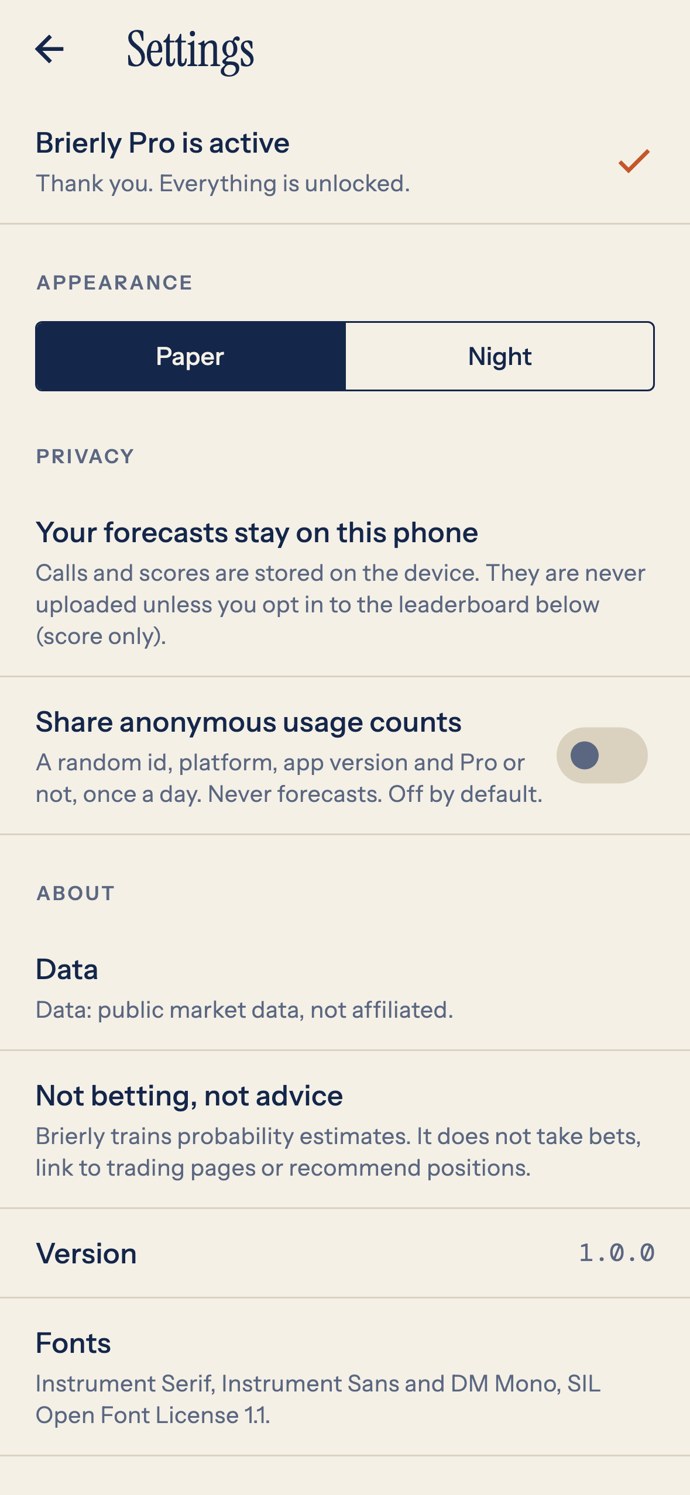
Pro status and the calls left this week, appearance (Paper or Night), a statement that forecasts stay on the phone, the switch for anonymous usage counts (shown only when a server is set, off by default), the leaderboard switch (when enabled), the data attribution line, a statement that Brierly is not betting or advice, links to support, privacy and terms (hidden when empty), the app version and the font licences page.
The app has no "delete all data" button in this version. Uninstalling the app removes the local database.
08Announcement and force update
From the console you can show a one-time announcement and block old versions with an Update required screen. See Console pages.